
The $1,200 Cloudflare Bill Hiding in My Vibe-Coded App
The invoice was $1,200.
For database reads.
There was no outage. No screaming server. No obvious sign that something was on fire. The application kept working while Cloudflare D1 quietly counted every row it had to read.
Then the bill arrived.
I summed up the incident in one short reply on X:
Had an accidental $1200 D1 bill last month. Cache the hell out of reads!
That was the entire postmortem.
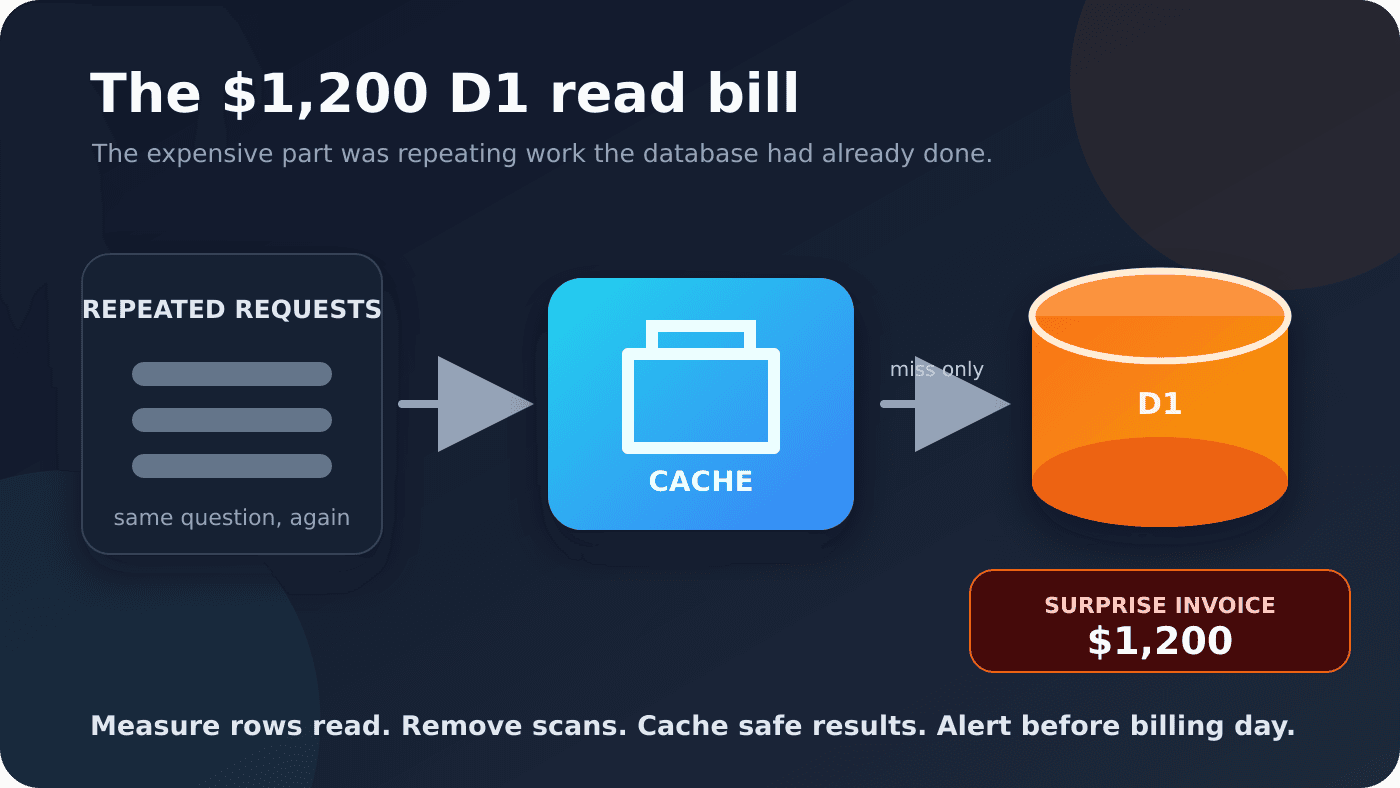
The longer version is more uncomfortable. I let an application repeatedly ask the database a question it had already answered. D1 did exactly what I told it to do, over and over, and metered the rows every time.
Nothing looked broken from the outside.
Financially, it was very broken.
A cheap query can still do expensive work
D1 does not bill a read query based on the number of rows it returns. It bills based on the number of rows the database reads while executing it.
That difference is easy to miss.
A query can return one row and scan thousands. Put that query on a busy route, run it again for every identical request, and a tiny-looking operation becomes a very large meter.
Cloudflare's D1 pricing documentation includes the first 25 billion rows read each month on the Workers Paid plan, then charges $0.001 per million rows. At that rate, $1,200 of read overage represents 1.2 trillion billable rows beyond the included amount.
Trillion. With a T.
That is how much work can hide behind queries that look harmless in application code.
The same pricing page gives the most useful debugging clue: every query result includes meta.rows_read and meta.rows_written. The database was already telling me the cost of each operation.
I was not listening.
The dangerous combination: vibe coding and usage pricing
Vibe coding makes it incredibly easy to build something that works.
That is also the danger.
The page loads. The API returns the right data. The tests pass. You ship it and move on. Nobody asks how many rows the database scanned to produce that answer, how often the same query runs, or what happens when traffic jumps by 100x.
An AI coding agent is trying to make the feature work. It does not feel the pain of the bill. If the prompt never mentions cost, caching, query plans, rate limits, or usage alerts, the generated code can be functionally correct and financially reckless.
Usage-based cloud pricing turns that blind spot into a multiplier. Fractions of a cent sound harmless. Millions of rows sound abstract. Then one repeated query becomes billions of reads, the application stays green, and the invoice becomes the first person to review the architecture.
That was my mistake. I reviewed the output. I did not review the meter attached to it.
Every vibe-coded feature that touches a metered service now needs a second review:
- What resource does this code consume on every request?
- Is the work bounded, cached, indexed, and rate-limited?
- What happens if usage grows 10x or 100x?
- Which alert fires before the cost becomes painful?
If I cannot answer those questions, the feature is not finished. It only looks finished.
The first fix was to stop repeating the question
My blunt advice was to cache the hell out of reads.
The less blunt version is to cache results that are safe to reuse.
If many requests ask for the same data and that data does not change every second, there is no prize for sending every request all the way back to D1. A cache turns repeated database work into one read followed by many cheap reuses.
That does not mean caching everything forever. The result has to be safe to share. The key has to include anything that changes the answer. The expiration time has to match how fresh the data needs to be. Mutations need a reasonable invalidation strategy.
Those are design questions. Re-running identical read work by default is just waste with an invoice attached.
Cloudflare's Workers Cache documentation describes the useful behavior clearly: on a cache hit, Cloudflare can return the response without executing the Worker again. That avoids both the Worker computation and the D1 query behind it.
For read-heavy public data, that is a powerful boundary. The cache absorbs repetition before it reaches the database.
Caching does not excuse a bad query
A cache can reduce how often a query runs. It cannot make an expensive cache miss cheap.
If the underlying query scans a whole table to find one record, every miss still does too much work. The next place to look is the query plan and its indexes.
Cloudflare's D1 index guide recommends using EXPLAIN QUERY PLAN to distinguish a full SCAN from a SEARCH ... USING INDEX. It also calls out the ratio I should have been watching: rows read compared with rows returned.
That gives me a simple review loop:
- Find the database and time window where reads jumped.
- Identify the queries doing the most repeated work.
- Inspect
meta.rows_read, not just response time or result count. - Use
EXPLAIN QUERY PLANto find full scans. - Add the right index or rewrite the query.
- Cache the result when repeated callers can safely reuse it.
Caching and indexes solve different multipliers. An index reduces the rows touched by one execution. A cache reduces the number of executions. When both multipliers are large, fixing only one leaves a lot of waste behind.
A bill should never be the first alert
The technical bug was repeated read work.
The operational failure was letting the invoice tell me how bad it had become.
Cloudflare exposes D1 billing analytics in the dashboard and through its GraphQL Analytics API. It also supports notifications for rows read and rows written. Its broader billing tools include budget alerts for account spend.
Cloudflare's usage-based billing documentation explains how to set budget alerts and usage notifications. Those alerts buy the one thing I did not have here: time to stop the waste before a full billing cycle passed.
I now think about usage meters the same way I think about errors and latency. A sudden increase in rows read is a production incident even if every request is returning 200 OK.
The application can be perfectly available while it quietly burns money.
Serverless can fail without failing
One reason I like D1 and Workers is that I do not have to provision a database server for every small project. The system scales down when nothing is happening and scales up when traffic arrives.
That convenience changes the operational work. It does not remove it.
With a traditional server, I would watch CPU, memory, connections, and disk. With a metered serverless database, I also have to watch how much work each request causes and how often that work repeats.
That is the dangerous part of this story. The application did not crash. Customers were not reporting errors. The infrastructure was happily scaling and serving requests.
The failure showed up in dollars.
Scale-to-zero is great when usage is zero. It says nothing about what happens when a mistake scales in the other direction.
The checklist I wish I had used
Before putting another read-heavy D1 workload into production, I want these questions answered:
- What are the most common queries, and how many rows do they read?
- Does each important filter or join use the index I expect?
- Which responses are identical across users and safe to cache?
- What is the cache key, expiration, and invalidation rule?
- Where can I see daily D1 usage by database?
- Which row-read and spending thresholds will alert me early?
- What should the application do if usage suddenly jumps?
None of that is exciting work.
Neither is paying $1,200 for database reads I did not need.
The shortest version of the lesson is still the one I posted on X: cache the hell out of reads.
The warning I will remember is this: vibe coding can produce software that works perfectly while the usage meter runs wild. A system can stay fast, available, and completely green while it quietly builds a four-figure bill. Review the cost model before the invoice reviews it for you.
I shared the original incident on X on October 19, 2026.