
The tiny DocsBot robot that started conversations for me
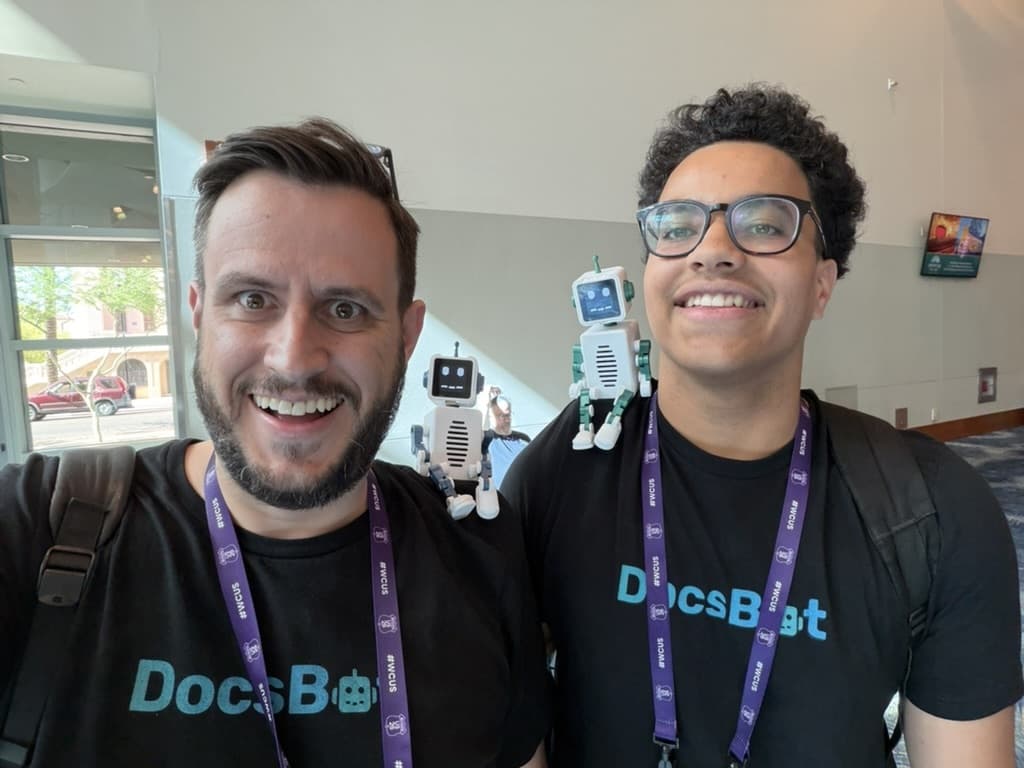
I built a tiny robot for DocsBot and carried it around the conference floor.
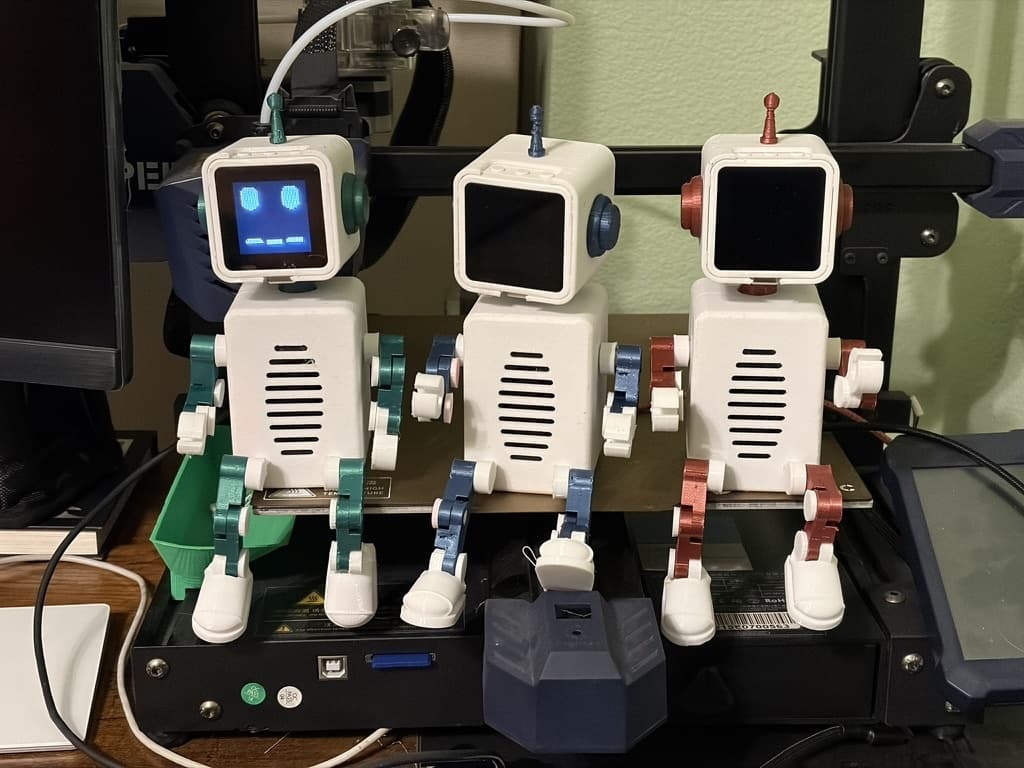
It was a small, 3D-printed thing with a screen for a face, moving head and arms, and a speaker inside its body. I expected people to notice it for a second and then go back to whatever they were doing.
That wasn't what happened.
It felt like everyone loved it. Everyone wanted one. At one point I started wondering if we should sell these instead of AI agents.
It gave people an easy first question
People would stop and ask what it was, whether it could talk, how the head worked, and if they could build one. Those questions gave me a natural way to explain DocsBot without opening with a pitch.
The robot did some of the social work for me. A physical object is easier to approach than a person who looks like they are waiting for a sales conversation. Once someone asked about the robot, we had something specific to talk about.
It was a conference guide with a face
The robot was powered by DocsBot's voice AI agents. I trained it on the conference information so people could talk to it and ask about upcoming sessions, nearby restaurants, and the weather.
Those answers came from the same DocsBot building blocks we use elsewhere: training sources, Skills, and Actions. The robot could listen through its microphone, answer through the speaker, and animate its face while it talked.
That made the demo more useful than a prerecorded script. Someone could ask a question about the place we were standing in and get an answer from a physical DocsBot character.
The build became part of the product story
The robot is not a separate marketing prop. It runs DocsBot voice software on an ESP32-S3, uses a small iPhone and Apple Watch remote, and has a body built from printable parts. The face, voice, movement, wireless setup, and physical assembly all had to work together.
That made the conversations more interesting. People could ask about the software, then the hardware, then the process of putting the whole thing together. I could show them the actual object instead of describing a future prototype.
We got more value without a booth
We weren't sponsors and didn't have a booth. We still got more value out of most of the booths because people already knew who we were. Everyone who had any interest in DocsBot came over to talk.
I keep thinking about what that says about conference marketing. Doing a good job and creating something high-quality still matter, but they don't guarantee that anyone notices. The robot was cute, specific, and different from everything else on the floor. It gave people a reason to come over.
At a conference, being memorable can matter more than having the most polished thing in the room.
I open-sourced the build
The full project is now in the
uglyrobot/docsbot-robot GitHub
repository.
It includes:
- ESP32-S3 firmware with credential-free Wi-Fi setup
- The SwiftUI iPhone and Apple Watch remote
- Current STL files and editable OpenSCAD sources
- Assembly diagrams, print guidance, a parts list, and Amazon search links
I removed private Wi-Fi and service configuration from the public code. The repository also calls out the attribution requirements for the original articulated limb toolkit.
What I learned
The best conference demos give people a reason to walk over before they know what the product does. This robot made that happen over and over as I walked around the floor.
If you want to build one, start with the parts list and the assembly guide. The project is open source, so you can print your own version, change the colors, and make the robot your own.